
Download NinjaChat – Advanced AI Chatbot Platform for Secure, Free, and Seamless Conversations
Overview
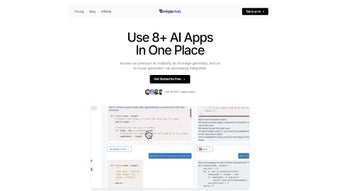
NinjaChat is a subscription‑based AI chatbot platform that brings high‑quality language models to anyone who wants to chat, analyze data, or create visual content without writing a single line of code. Built with a clean, user‑friendly interface, NinjaChat lets you converse with multiple AI personalities, pull answers straight from PDF documents, and generate images on the fly. Whether you’re an entrepreneur seeking quick market insights, a developer prototyping a conversational UI, or a curious learner experimenting with data science, NinjaChat provides a single hub where all AI‑driven tasks converge. The platform also shines in data visualization, turning raw numbers into intuitive charts and graphs that can be shared with teammates or embedded in reports. While the service is designed for broad accessibility, it maintains a professional grade of security and performance, making it a compelling choice for both individual power users and growing businesses.
Key Features & Functionalities
- Multi‑Model Chat Interface: Switch effortlessly between premium language models, each optimized for specific tasks such as creative writing, technical support, or data analysis.
- PDF‑Direct Chat: Upload any PDF and ask questions directly; NinjaChat parses the document in real time and returns precise excerpts.
- AI Image Generator: Produce high‑resolution visuals from textual prompts, ideal for marketing assets, mock‑ups, or educational diagrams.
- Data Visualization Suite: Import CSV or Excel files and instantly convert them into bar charts, line graphs, heat maps, and more.
- Developer Toolkit: Access RESTful APIs and webhook integrations for embedding NinjaChat into custom applications or websites.
- Collaboration Mode: Share chat sessions with team members, add comments, and export conversation logs for compliance or training purposes.
- Secure Cloud Storage: All files and chat histories are encrypted at rest and in transit, adhering to GDPR and CCPA standards.
- Regular Updates & Model Refreshes: Subscribers receive monthly model upgrades and feature enhancements without additional fees.
Installation, Usage Instructions & Compatibility
Getting started with NinjaChat is straightforward, regardless of whether you prefer a web‑based experience or a native desktop client.
Step‑by‑Step Installation
- Visit the official NinjaChat website and click the Download button for your operating system (Windows, macOS, Linux, Android, or iOS).
- Run the installer and follow the on‑screen prompts. The installer automatically configures required dependencies such as .NET Core (Windows) or Homebrew packages (macOS).
- After installation, launch NinjaChat and create a new account using an email address or single‑sign‑on (SSO) via Google or Microsoft.
- Choose a subscription tier – the platform offers a 14‑day free trial, a professional plan for solo users, and an enterprise tier for teams.
- Complete the onboarding wizard, which guides you through connecting your first PDF, selecting a language model, and testing the image generator.
Everyday Usage Tips
Once logged in, the main dashboard displays three primary modules: Chat, Visualize, and Generate. In the Chat module, you can start a conversation by typing a prompt or uploading a document. Use the “@pdf” command to reference a specific PDF page, e.g., “@pdf page 12, summarize the methodology.” In the Generate module, type a description such as “Create a futuristic city skyline at sunset,” and NinjaChat will return a set of images you can download or edit further. The Visualize module accepts CSV uploads; simply drag‑and‑drop the file, select the chart type, and the AI will suggest the best visual representation based on the data’s distribution.
Compatibility Details
NinjaChat supports Windows 10/11, macOS 12 Monterey and later, popular Linux distributions (Ubuntu 20.04+, Fedora 34+), Android 8.0+, and iOS 13+. The web version runs in any modern browser (Chrome, Edge, Firefox, Safari) with JavaScript enabled, ensuring you can access your AI workspace from virtually any device.
Pros, Cons & Frequently Asked Questions
Pros
- All‑in‑one platform eliminates the need for multiple AI tools.
- PDF‑direct chat dramatically speeds up document research.
- High‑quality image generation suitable for professional marketing.
- Robust data visualization reduces reliance on external BI software.
- Strong security and compliance features for business use.
Cons
- Requires a stable internet connection; offline mode is limited.
- Advanced image generation (e.g., 3D rendering) is not yet supported.
- Enterprise pricing can be high for small startups.
- Some users report a learning curve when navigating the API documentation.
FAQ
Can I use NinjaChat for free?
Yes. NinjaChat offers a 14‑day free trial with full access to all premium features. After the trial, you can choose a paid plan or downgrade to a limited free tier that still includes basic chat and PDF support.
Is my data safe on NinjaChat?
Absolutely. All data is encrypted both at rest and in transit using AES‑256 and TLS 1.3. NinjaChat complies with GDPR, CCPA, and ISO‑27001 standards, making it suitable for handling sensitive business documents.
Which AI models does NinjaChat integrate?
The platform currently supports OpenAI’s GPT‑4, Anthropic’s Claude, and Meta’s Llama 2. Additional models are added quarterly as part of the subscription updates.
Can I integrate NinjaChat with my existing workflow tools?
Yes. NinjaChat provides REST APIs, Webhooks, and native plugins for Slack, Microsoft Teams, and Zapier, allowing seamless automation and data exchange with CRM, ticketing, or analytics platforms.
What kinds of images can the AI generator produce?
The generator creates 2‑D illustrations, photorealistic renders, and stylized graphics up to 4K resolution. While it excels at marketing visuals and concept art, it does not yet support complex 3‑D modeling or animation.
NinjaChat consolidates the most useful AI capabilities into a single, secure workspace. Its PDF‑direct chat and data visualization tools alone justify the subscription for professionals who regularly sift through reports and datasets. The image generator, while not a full‑blown design suite, provides quick, high‑quality visuals that accelerate content creation. Minor drawbacks such as occasional connectivity hiccups and a premium price point for enterprises are outweighed by the platform’s flexibility and continuous model upgrades. Overall, NinjaChat is a solid investment for anyone looking to embed AI into daily workflows.
Conclusion & Call to Action
In a market crowded with single‑purpose AI bots, NinjaChat distinguishes itself by offering a comprehensive suite that tackles conversation, document analysis, visual creation, and data storytelling—all under one roof. Its intuitive design, robust security, and regular model updates make it a trustworthy ally for entrepreneurs, developers, and data‑savvy teams. While the platform could benefit from offline capabilities and deeper image‑rendering options, the current feature set already delivers significant productivity gains. If you’re ready to replace fragmented AI tools with a unified, secure, and constantly evolving solution, download NinjaChat today and start your free trial. Experience how a single platform can transform the way you communicate, visualize, and create.



.png)



